---
title: "Accessibility: Why Your Website Should Be Easy to Use for All"
date: 2019-03-26T06:00:00-04:00
author: Sean Smith
canonical_url: "https://website101podcast.com/episodes/season-01/episode-9/accessibility-why-its-important/"
section: Podcast
---
<!\[CDATA\[YII-BLOCK-BODY-BEGIN\]\]> [Skip to main content](#main-content) 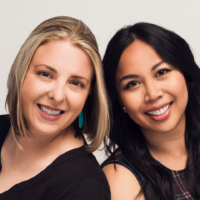Guest Emily Lewis and Lea Alcantara
Emily Lewis and Lea Alcantara are partners at Bright Umbrella, where they design and build websites that help growing companies and social organizations solve their business problems. They are also partners in podcasting, producing and hosting the acclaimed, long-running podcast CTRL+CLICK CAST.
[ ](http://twitter.com/abrightumbrella) [ ](https://www.linkedin.com/company/bright-umbrella) [ ](http://facebook.com/abrightumbrella)
Season 01 Episode 9 – Mar 26, 2019
44:42 [Show Notes](#show-notes)
## Accessibility: Why Your Website Should Be Easy to Use for All
0:00
0:00
1.0x
0.75x 1.0x 1.25x 1.5x 2x
[ ](https://website101podcast.com/uploads/mp3/season-01/09-Bright-Umbrella-Accessibility-master-final.mp3)
In this episode I talk with Emily Lewis and Lea Alcantara about website accessibility. What it is, why it's important, and how it is more than just websites for blind people.
### Show Notes
Emily and Lea start off by providing a definition and example of what accessibility is related to websites. Accessibility is more than making websites accessibility and they also address isssues of why it's a good business case to ensure your website is accessible.
Some businesses are federally mandated to meet specific standards of accessibility. This will vary by country but Canada and the United States both require it in certain industries. Emily and Lea discuss the business case for accessibility - and it's a very compelling reason: Better SEO and increased customer base.
We also discuss **remediation** which is essentially retro-fitting a website to be accessible. This is not an easy process and there is no silver bullet that will make your website accessible at the push of a button.
### Show Links
- [What is Section 508?](https://www.epa.gov/accessibility/what-section-508)
- [An Overview of Canada's Accessibility Laws](https://www.essentialaccessibility.com/blog/canadian-accessibility-laws/)
- [Ontario Government: How to make websites accessible](https://www.ontario.ca/page/how-make-websites-accessible)
- [WCAG - Overview and Guidelines (international standard)](https://www.w3.org/WAI/standards-guidelines/wcag/)
- [Accessibility according to actual people with disabilities](https://axesslab.com/accessibility-according-to-pwd/)
- [The Business Case for Accessibility](https://www.w3.org/WAI/business-case/)
- [Master Chef](https://www.fox.com/masterchef/)
- [Voluntary Product Accessibility Template (VPAT)](https://www.section508.gov/sell/vpatVolu)
- [Defendants Fighting Website Accessibility Cases Face An Uphill Battle](https://www.adatitleiii.com/2018/09/defendants-fighting-website-accessibility-cases-face-an-uphill-battle-in-2018/)
- [Walmart Is Sued by Blind Customers Over Its Self-Service Accessibility](https://www.lifezette.com/2018/10/walmart-is-sued-by-blind-customers-over-its-self-service-accessibility/)
Powered Transcript Accuracy of transcript is dependant on AI technology.
**\[00:00\]** **Sean:** Hi, welcome to the website 101 Podcast. I'm your host, Sean Smith. And today I'm joined by Emily Lewis and Leah Elcantra from Upright on Brella. Ladies, please introduce yourself.
**\[00:14\]** **Emily:** So, I'm Leah Elcantra. I'm a partner and lead designer at Bright on Brella. So, I make things look good for clients and I also implement their websites in CMSs.
**\[00:28\]** **Sean:** Awesome.
**\[00:29\]** **Lea:** Yeah, and I'm a partner and lead developer at Bright on Brella. And I take Leah's designs and translate them into code and templates for those CMSs. And I also do a little bit of CMS development as well.
**\[00:45\]** **Sean:** Wow, sweet. So, today's topic that we're going to talk about is accessibility. And accessibility, maybe not everybody knows what this is. Would you be able to help define it for the layperson? Not our peers, but for people who own businesses and have websites and what accessibility entails.
**\[01:08\]** **Lea:** So, it's really as simple as if your website is accessible. That means it can be used as effectively by people with disabilities as by those without. So, for example, someone who's colorblind could still choose between different color products on an e-commerce site because the products have good text descriptions.
**\[01:34\]** **Emily:** So, you know, in short, an accessible website has design and code in place that allows the largest group of people to work and interact with your site.
**\[01:45\]** **Sean:** All right, well, that sounds very helpful, but I'm wondering maybe a lot of small business people may not think that accessibility is so important. Like, if I'm blind or extremely vision impaired, do I, is it really all that important to me as a business owner to serve as somebody like that?
**\[02:08\]** **Lea:** Well, to address the point about blindness, you know, that's one example of accessibility disability. And it's one area that web accessibility attempts to address. But it's just because a blind person may not use your product. For example, maybe you're selling skiing equipment and you're thinking a blind person may not use those products. Well, you could be wrong because there are people who do. And the other thing is they also could be buying for a friend or a family member or maybe they want to use your website to find out your location. So, it's not about whether a blind person would use your product directly. Your website content needs to be accessible to that person because they could have different reasons for visiting your website.
**\[03:00\]** **Sean:** Oh, that's definitely something that maybe a lot of people haven't thought about. Are there any other accessibility issues other than site issues that we should be concerned about as website owners?
**\[03:14\]** **Emily:** Yeah, absolutely. I think one of the biggest misconceptions, you know, as you kind of brought up with an example of blindness. That isn't that's only one type of disability that someone can have. And then there's also a spectrum, right? Like all three of us talking on this call right now, where corrective lenses? So we need assistance in order to navigate life. So I'm just trying to explain that, you know, there's different ways you can define what ability even means.
**\[03:51\]** **Lea:** Taking that thought a little bit in a different direction away from a vision. You know, you also have maybe a teen audience. And there might be young users with ADHD. And that can be an issue when you have too much information on your website, where it might be overwhelming. So they never click through to take action. And so making your website accessible to a user who needs focus and clarity, that's about having designs that are clean, content that is clear, call to actions that are visible and easy to access.
**\[04:30\]** **Sean:** That definitely sounds very important and something I had not even thought about targeting somebody who has trouble focusing and concentrating on things.
**\[04:40\]** **Lea:** Like Leah said, it's a wide spectrum of where ability falls and your website needs to be able to reach all of those people. You know, we were, I mentioned skiing earlier. Well, what about a person who injured their arm while skiing and can't use their mouse? But they want to buy new boots on your website. So, you know, that person needs to be able to purchase something on your website without a mouse. That's a part of web accessibility.
**\[05:09\]** **Sean:** Oh, definitely interesting. Is there any sort of standard that I should know about as a, maybe I do it yourself or somebody who wants to ensure that their web team is taking care of this for them?
**\[05:26\]** **Lea:** Yeah, so I'm not sure this would be something that would be easy for a do it yourself for to access in terms of understanding and knowing how to implement. Because it's a little bit more complex than a do it yourself website is going to support.
**\[05:44\]** **Sean:** But this is not, this is not something that I could just buy like a WordPress theme and or Squarespace. Yeah, you can have accessibility built in.
**\[05:54\]** **Lea:** Yeah, there are WordPress themes. It's been a while since I've looked at Squarespace or Wix, but federal laws are starting to require accessibility. So it wouldn't surprise me if they were offering those. So that's always a good place to start. The reality is though is that you need to be able to validate whether those things are truly accessible for whatever your requirements are as a business. So there are some businesses that are federally mandated to meet specific standards. And so a website that might be accessible, let's say it, let's say it's a WordPress theme that really emphasizes good color contrast, which is really helpful for people with all types of vision issues. But if it doesn't address keyboard navigation, then that's not the complete thing. So you have to be on some level, some some ability to assess whether what you're purchasing is truly going to meet your needs for accessibility. And that's when you want to turn to something called, well, if you are a certain business that gets federal funding or is serving federal agencies, you have to meet Section 508 standards, which is a US rules for how you build a website and ensure that the content is accessible to the most people possible. So Section 508 is what you'd want to be looking for if you're required to meet those. So you don't want to just get a website accessible theme. You want to make sure it's 508 accessible.
**\[07:45\]** **Sean:** And this is an American requirement and it's only certain types of businesses.
**\[07:52\]** **Lea:** That's correct. So Section 508 is primarily for government agencies. It covers websites, but also software and all types of IT. But if you are a nonprofit who receives federal funds or a higher education institution or a public K through 12 school in the US, they all need to follow 508. And then taking it a step further, and this is showing up in the courts lately, all private and public businesses that have public accommodations are required to comply with the Americans with Disabilities Act.
**\[08:31\]** **Sean:** What do you mean by public accommodations?
**\[08:35\]** **Lea:** Well, if you have a store, for example, it needs to have a ramp for someone to access it if there is like a stairs. This applies to websites. Website is considered a public accommodation. It's your online store. So if you're a restaurant or a bakery or a bank or an inn or an accountant or a law office, like your website needs to be...
**\[08:58\]** **Sean:** It basically covers any business that has a website. Pretty much. I mean, looking at it in very broad terms. It would cover everybody. So I want to step back a second here. And you said Section 508 and government regulations in the United States. I know that there are government regulations in Canada. I'm not 100% familiar with them. And I will go and find some links to include in the show notes later. But for any listeners outside of Canada in the United States, there are many other countries that have similar regulations. And you should check into that to find out what you're required to do.
**\[09:38\]** **Lea:** Yeah, and I think it's a good place to start with WCAG. It's WCAG, the web content accessibility guidelines. These are not tied to any one country or any one set of laws. It's rather a set of standards or guidelines for people like me and Leah and you, Sean, to follow. That help ensure core accessibility for websites. It's specifically for websites. It takes...it's an international standard. And a lot of countries who do have web accessibility laws refer to it as part of their requirements. So it's a good place to start.
**\[10:24\]** **Sean:** Well, definitely add a link to the show notes to...you called it WCAG?
**\[10:29\]** **Lea:** WCAG is a phonetic pronunciation of an acronym, the web content accessibility guidelines. WCAG.
**\[10:39\]** **Sean:** Wow. Having a standard to follow is really, really helpful. So, let's take a case of a really small business. We're not a government industry. We're not a university or taking public funding. I'm running a small restaurant. I have a flower shop with a website. What's the business case for me to spend extra money and time to get my website accessible? Am I really going to be sued or the police are going to be knocked down my door because I'm not accessible?
**\[11:21\]** **Emily:** So let me take this. Let's talk about opportunity cost. Statistics say that about 20% of Americans and 16% of Canadians have some form of disability. So if you're a website...
**\[11:34\]** **Sean:** We have an article that will link to as well, which you shared with me earlier.
**\[11:38\]** **Emily:** Yeah, absolutely. And so by ignoring accessibility standards or not seriously looking into the business case, you're literally saying no to 20% more customers potentially. So that's just across the board. So that's a very clear business case. Again, what we said at the very beginning of the episode, an accessible website reaches the largest amount of audience. And that's what all businesses want to do. An inaccessible website is purposely excluding a large portion of the population.
**\[12:27\]** **Lea:** You know, and it's also worth mentioning that, you know, Leah said it's making your website accessible is going to reach the broadest audience. That audience also includes search engines. So web accessibility fundamentally is just really good coding practices. And really good coding practices are favored by search engines. So everything you're following to make your website more accessible to people is also going to make your content more accessible to search engines.
**\[13:01\]** **Sean:** Better search results.
**\[13:03\]** **Lea:** More clear search results. I mean, Google only wants to serve search results that its users want. So they're looking for good content. If your website is accessible, it can find your content.
**\[13:16\]** **Sean:** Absolutely. One thing that Leah said is it's purposely, I think you said purposely preventing or stopping users. It seems a little bit aggressive that people would be purposely turning down customers. I feel it would be more accidental.
**\[13:38\]** **Emily:** Accidential or purposeful. The end result is the same.
**\[13:44\]** **Lea:** Yeah, I mean, once you know, then it's purposeful if you're not going to try and address it.
**\[13:49\]** **Sean:** Good point. Good point. I just that word kind of just jumped out at me a little bit. I'm 100% behind accessibility. I just didn't I know that some of my older sites. I wasn't as concerned about it. Now when I'm building newer sites, I put as much time as I can into accessibility. I probably need more, but again, it depends on client budgets. Not every client has the budget to pay for that.
**\[14:18\]** **Lea:** So it's true. I mean, I would like to say, I think one thing that we have failed to do as developers working with clients is really educate them about the business case for accessibility. And that means sometimes when you need to use strong language, this actually is a serious part of creating a good business website. Sure, you are reaching a broader audience, but fundamentally you're building it on better code. That's like I said, more accessible to search engines, but it's also more future friendly. Like there comes really good business reasons for doing this and emphasizing accessibility should be something that we're talking to our clients about. That's our job to tell them and to make sure that they understand it is serious. Because if you are the one business that has a user who ends up not being able to use your website and get sued, it will be a big deal for you. And you can be a small shop and that can happen to you.
**\[15:21\]** **Emily:** Right. I mean, we buy business insurance, right? In case of an emergency. And accessibility, building accessibility into your site, it just minimizes risk against your business. So it's insurance against your website. And Emily kind of touched on the future friendly. So if Google can read it, then a screen reader can read it. That means so can Alexa, Google Home and Cortana. So those are voice activated machines, right? Voice activated machines. So like any website that is coded very well and is accessible is also accessible to those types of machines. Because really, like that's what we're building the site, you know, in part of. So it's accessible to these programs. And again, to dive into another business case, right? So we're talking about, you know, minimizing risk, increasing your customer base and broad base. But fundamentally, it's just great for inclusion and diversity. And if that's important to your business, and it should be, that's good for your brand. And it's a real way to demonstrate that you're committed to a larger group of people. And that could also be used in your marketing materials. And it's especially important, depending on what type of business you're running as well too. It's something that you can definitely lean on.
**\[16:56\]** **Sean:** Yeah, I can't imagine any business that wants to increase risk, lower their customer base, and exclude people. And that's a recipe for disaster. Absolutely.
**\[17:12\]** **Lea:** It's about reframing this conversation away from thinking that it's, quote unquote, just about blind people. And I don't have blind customers to really viewing this in the broader sense of what it means to your business and to your customer base.
**\[17:32\]** **Sean:** Just sticking with the blind example, recently my daughter is making me watch MasterChef. And we're watching season three right now. And there is one of the strongest contestants in season three. Is this blind one? Oh, that's such a good episode of season.
**\[17:52\]** **Lea:** Yes.
**\[17:53\]** **Sean:** She is phenomenal. She has an assistant, but that's just to navigate the kitchen. The assistant doesn't do any of the cooking or anything. I would not have thought that a blind person could be a contender for MasterChef. So, yeah, I mean, there's no blind people at your store, but there could be.
**\[18:19\]** **Lea:** Yeah, and I think it's about changing our view of what it means to have a disability or a challenge. I sent you a link, Sean, in advance that I hope you can share. And it's kind of like real life experiences from people who are using websites that aren't accessible. And it takes you so far out.
**\[18:39\]** **Sean:** That link is amazing.
**\[18:41\]** **Lea:** It takes you so far outside what you may have defined as who are the people with disabilities. And how are they using websites? We just have really narrow views. And we have to start changing that.
**\[18:56\]** **Sean:** Yeah, I have that link open right now, which I will definitely share in the show notes. And there's a list of tweets of somebody's responding to a tweet asking about your problems with websites. And one of them, my sister says she hates it when she comes across videos that are not closed captioned. She's deaf. Yeah. I got to see even for myself. I watch Netflix with captions on. I've got some hearing loss. It's not a lot, but it annoys my kids sometimes.
**\[19:26\]** **Lea:** I just do it because I can't always understand what they're saying.
**\[19:30\]** **Emily:** Like their accents or something? Yeah, exactly. Especially like Cockney British accents. What? What's happening?
**\[19:38\]** **Sean:** Yeah, exactly. Here's one that's not relevant to me. But something to consider. Dislexic. Not really seen as a disability, but large walls of text is painful. Also never ending sentences and overcomplicated language. That's where you need a copyrighter to help you make your content concise.
**\[19:57\]** **Lea:** Yeah.
**\[19:58\]** **Sean:** And then also be aware of maximum width. There should never be more than 65 characters on a line of text. Or it's hard to track to the next line.
**\[20:06\]** **Emily:** Yeah. And what you're just saying is just great user experience. Right? Like, I mean, we're framing all of this in the umbrella of accessibility. But great websites that are accessible are just great websites. They're just well designed and well coded.
**\[20:27\]** **Sean:** Yeah. Here, I'm continuing to scroll down because I really like this, this link. It's definitely something that needs to be more people need to be aware of. I don't have a problem, but my mother has Parkinson's disease. And mouse interactions are really hard for her. Yeah. Like if anybody's seen Michael J. Fox, you see how he shakes. That's Parkinson's, right? Yeah. Imagine trying to finally navigate with your mouse like that. That's so I can imagine how difficult that would be.
**\[21:02\]** **Lea:** Right. You know, and as our population is aging, I really do feel like that's why we might be seeing more. Right. We might be seeing more about accessibility because our populations aging, the baby boomers, they move mountains as they move through different periods of their life. And they're going to be experiencing challenges with technology. And that is going to drive more accessibility. That is going to drive business who are willing to jump on that innovation track to try and build for this growing audience. And it's going to be more than just websites. It's going to be all types of technology that's impacted by this.
**\[21:46\]** **Sean:** Well, there's some definitely sounds like we've got some good ideas for making a business case for accessibility. So what about if I have a website that I built two or three years ago, or maybe I got it built by a web developer who was not aware of accessibility issues? Is it easy or possible to retrofit it to make it more accessible?
**\[22:15\]** **Lea:** I wouldn't say it's easy, but it's definitely possible. And that's typically what the path is. Accessibility unfortunately has not been put first for most of the history of web development.
**\[22:30\]** **Sean:** It's a short history, only 20 years ago. Exactly.
**\[22:33\]** **Lea:** So it says a lot that in such a short time, we're starting to focus on these things. But so the fact is there are a lot of websites out there that aren't accessible, that people are having to go back and it's called remediation. You just make it how whatever your requirements are. It's a big deal, the bigger your website is, because if you can imagine the more pieces that you have to maintain, the more things that have to be looked at. But it is possible. There's no, unfortunately, I don't think there's like a simple silver bullet solution.
**\[23:11\]** **Emily:** Yeah, there's no theme to install that magically makes your site accessible.
**\[23:16\]** **Sean:** So accessibility is not something that a do-it-yourselfer could easily do. They would need to hire someone like myself or yourself or someone local to them, who's familiar with web development and can understand the requirements of what's written in the WCAG dots.
**\[23:33\]** **Lea:** I think that if it's a business that is growing and has ambitious plans, then yes, you really should be working with a developer who specializes in this. And critically, if you fall in one of those categories that is federally mandated, but I don't want to turn anyone off from this idea. In a lot of ways, and we're seeing it in the lawsuits that are coming out, a do-it-yourselfer could start with the best of intentions by purchasing a theme that is marketed as accessible, maybe informing themselves of what some of the key things that should be included are, and just simply establishing that you have a baseline and you're working towards accessibility can also prevent a lawsuit from being dramatically negative in terms of the monetary price. We have clients who we've worked with who could not do the complete level of accessibility that was required by law. So we mapped out a plan, and that plan is enough to hold up that we are working towards it, and that qualifies for their conformance needs.
**\[24:53\]** **Sean:** As an extension, as long as you continue to work towards it, you can't just have a plan and not do it.
**\[25:01\]** **Lea:** Yeah, exactly. But yeah, just starting and having the intention of keeping an eye on that is showing up in court as a legitimate thing to defend when you are unfortunately taken to court because of inaccessible and inaccessible.
**\[25:17\]** **Sean:** So you've had a client that was sued because there's a website?
**\[25:22\]** **Lea:** No, I'm referring to lawsuits that I've been reading.
**\[25:26\]** **Sean:** Oh, okay. So the basic idea here would be, I have this plan to make my site accessible. I can afford to put this much in this quarter. I get some work done. The next quarter I do a little bit more and so on until I'm compliant. And during that process, I can demonstrate that, hey, I'm working towards it. So it should help to mitigate any sort of lawsuit.
**\[25:50\]** **Lea:** Yeah, I'm...
**\[25:51\]** **Sean:** Again, this is not legal advice.
**\[25:52\]** **Lea:** No, this isn't legal advice. And I'm blanking on the name of the document. If you need to meet WCAG level 2A, there's a name for the report that says what your plan is. And if you work in government, it's actually called a VPAT VPAT Voluntary Product Accessibility Template. It's essentially like you outlining what you've made accessible so far and what your plans are to continue towards that. So they have different names, but it's essentially a document that's accessible on your website. So there's like a link to it, just like maybe your privacy policy might be linked. Right. And it's a way to cover yourself. But it's also a way to, you know, like Leia said, it can be used as a marketing tool. It's a branding aspect to say, you know, this is what we're investing in. This is what we're investing the business in in our audience.
**\[26:50\]** **Sean:** That definitely sounds very, very positive and something that I think a lot of businesses should do. And I think I probably approached some of my other clients and talked about accessibility again. It's something I want to spend some more time on, even for my own website, which is a little bit dated itself.
**\[27:11\]** **Lea:** Yeah, it's not, I'll be honest. It's not easy to sell, not just literally sell in terms of when a project or work with the client, but we had a client who was federally required to be WCAG AA. And that's just a particular level of rules that they needed to follow. And they hired us specifically for that, you know, that was in the contract. But once we started working with the people who have to actually maintain the website, the people who have to write the blog post, the people who have to upload the images and so forth, it was really hard to sell them on why they needed to do this, even though it was literally the law. Like for them, they had to, they had no choice.
**\[27:59\]** **Sean:** So they were resisting the change of their workflow and what they needed to do.
**\[28:04\]** **Emily:** Right, well, and there's a lot of, you know, to take a step back, there's a lot of businesses that don't quite understand accessibility, or this might be the first time they're hearing about it, so they don't actually understand the level that you have to do in order to comply. So like the example that Emily is mentioning here, we had to adjust some of their branding decisions because the color contrasts were not enough. So, you know, intuitively, white on a yellow background is just not readable. And regardless of how pretty you think it is, it's just, it's not going to comply. And so you'd have to do some testing and negotiation with the client to see, you know, how much can we push the brand and the look and feel while also conforming to these particular standards. And if that's a conversation, you had early in the process, unfortunately we weren't a part of the early design process. We were in the remediation part of the design process.
**\[29:12\]** **Sean:** So you were coming in to work with existing designs and code and help them to get compliant after it had already been done.
**\[29:20\]** **Emily:** Right, exactly, exactly. And some things were easier as in like, we need to make this font larger. Okay, that doesn't disturb the overall look and feel for them. But the moment we started playing around with colors and trying to make them compliant, plus giving them the flexibility to choose the colors too, because that's also, you know, something that clients definitely want. You need to balance flexibility with the reality of having to comply to these accessible standards. Like I said, white on yellow is just not going to cut it.
**\[29:54\]** **Sean:** Yeah, contrast is an important thing. I've even noticed with just myself, sometimes I have trouble reading something, but my daughter who's 16, she has no problem seeing it. I'm just getting old.
**\[30:09\]** **Lea:** Yep, right. And your eyes change and you get older. And your eyes change and you get older. Yeah, aging is a disability in a lot of ways.
**\[30:16\]** **Emily:** Right. And I'm all creaky now. Well, and think about the audience too. So when you're thinking about the business case sometimes. So for this particular client, we knew their primary audience would be in their 40s and up. And so trying to point out that the majority of their users need to have, you know, this type of contract. Exactly larger tax and this type of contrast because that's their customer. That's their audience. It's not your 16 year old daughter, right? Yeah. Trying to reemphasize that like at the end of the day, you know, you really are trying to appeal to your customer base.
**\[31:03\]** **Sean:** And so you were bringing this up and they were still struggling to accept the fact that it's not working. So were your clients like younger people that didn't have this issue?
**\[31:14\]** **Lea:** No, they had already been invested in this design. And that's legit. I mean, that's they've spent money and meetings and there are stakeholders who are expecting it to look this way.
**\[31:28\]** **Sean:** It's very late in the process to start changing it at this point.
**\[31:32\]** **Lea:** Exactly. And that's why if you are in a situation of coming in after the fact and decisions have already been made, then you need to be prepared to spend a lot of time educating and talking to the key people who are going to have to deal with on a daily basis. But most of all, if you get new stuff, just start with this. If you just start, you know, Lanna, because we do full service web work, you know, with design and development, Laya knows all of the design rules for color and sizing and contrast and layout and spacing. So I don't have to tell her those rules, but if I am going to work with an external designer and a different developer who don't work together, you need to make sure that the designer is thinking about accessibility and the developer is thinking about accessibility and whoever is going to put it into WordPress or craft or whatever is thinking about accessibility. So it's kind of an accessibility first perspective from the beginning and that saves you so much time in the long run.
**\[32:37\]** **Sean:** All right. Yeah. So anybody that's working with a web developer or an agency, they need to make sure or they should strongly be encouraged to ensure that their new site is going to have accessibility built in from the beginning. Yeah. Yeah. Yeah. Excellent.
**\[32:58\]** **Lea:** And I think if someone is, you know, a business owner that just feels really intimidated by the tech of this, they can simply refer to, you know, the WCAG guidelines that are different levels. So level A, level two, two A and three A. They could just say, I want level A. That's your bottom line basic stuff that's required by WCAG. And you can just say to your developer, I need that level, just the basic level of WCAG. And that is a great place to start or if they're, you know, shopping themes somewhere, look for something that is specifically telling you the type of accessibility it's supporting versus this is an accessible theme that's just too broad of a term. You don't need to know all the rules as a business owner. That's not your job, but you should be able to ask for those, those basic standards that everyone, you know, worth their salt in our industry can access and use to guide their development.
**\[34:01\]** **Sean:** Exactly. Even if you're haven't worked with accessibility before as a developer, you should be able to read the documentation and implement it. Right. It's, and I know I've done this. I've retrofitted, sorry, remediated to use the term I just learned now. I remediated a part of one site that I was working on for another client. And yeah, it was some work. And I wasn't familiar with accessibility at that time, but I checked the documentation and I got it up there. So you mentioned there's three levels to work egg. Which at what the, are any of one of those levels required by the federal law that you've mentioned 508 accessibility?
**\[34:50\]** **Lea:** Is that level a double a or triple a double a so double a includes level a so it's kind of whatever came before it is included in it. So if you're level a conform and you're, yeah, so level level double a is what's required by 508. The three a really starts getting into if you have a ton of video and interactive media where there needs to be lots of captioning and transcripts and things like that.
**\[35:20\]** **Sean:** Okay. So captioning and transcripts are not required by American federal law at least at this point.
**\[35:29\]** **Lea:** Well, if you are double a you do need to have captions. You also need to have a way to prevent like a way to give someone control over the video. So you can't just have a video playing without an ability to stop or pause it. It's that level triple a just goes much much much farther in terms of the requirements. So they're much smaller in double a in terms of what you need to do for video and audio.
**\[35:55\]** **Sean:** Right. Yeah. One thing I want to do is I do want to get transcriptions of my podcast eventually but I don't have the time to listen to it. And at this point, it's a little bit out of reach for affordability because I'm just starting out and I'm not making money on it.
**\[36:13\]** **Lea:** You know, I'll have to dig them up, but there are tools. There are tools that will do this for you. They're not perfect, but neither is a human transcriptionist.
**\[36:21\]** **Sean:** Also like a machine translation or transcription rather.
**\[36:25\]** **Lea:** That you can turn to and use it. It's something you want to experiment with. It's always a matter of you know, seeing what's out there. And like I said, as our baby boomer population is aging, we're going to see more of this as accessible as lawsuits are coming more and more to the forefront of consumers and customers suing businesses that are known as the same. And customers suing businesses that are not serving their needs. They're going to be more companies providing these services. They're going to be more tools doing automation to make it easier for a DIY or maybe someone who's new to this and is just getting started. I think the thing is is just to not look at this as this absolute goal. Start small and at least you started. Identify the things that you know make sense for your business like Leo was saying, know who your audience is. If you know your demographic then you know if they're 40 and up, they're my age and older then you're probably going to really want good color contrast and good font sizes. And that's a great place to start. If you sell products you want to make sure that your pictures have really good captions that describe them in clear simple ways including things like color. And then you know that's also just good juice for Google.
**\[37:53\]** **Sean:** And that's really really powerful. So you've brought up lawsuits a few times. Could you tell us about one or more of these lawsuits like well known issues where the business lost or had to pay money or something.
**\[38:11\]** **Lea:** Can you provide a link maybe? Yeah, I think I included one what I sent you earlier. This is not this isn't about a website but I think it's a powerful example and it's very, very recent. So Walmart was sued because of their self service checkout. He asked it was not accessible to a blind customer. And that in and of itself is a problem but even worse the staff member who quote unquote helped the blind customer with the kiosk stole money from her. What? Yeah. And so this isn't even a website. This is the kiosk that's at the checkout of any retailer. And so Walmart is being sued. You know that hasn't you know resolved or whatever the right term is for the lawsuit but it's big enough that that's going to have an impact on Walmart's brand. And you know the fact that the customer was not helped by the staff member just compounds it into just a terrible terrible story that is just picked up all across the news. So it has impact beyond just the lawsuit but also your kind of public relations and brand reputation.
**\[39:34\]** **Sean:** And in terms of. We see the impact on that and I would imagine any business that's using the self serve kiosks is paying attention to this.
**\[39:43\]** **Lea:** Yeah. I'm not sure I know a lot of your audience may be Canadian but there's a grocery store chain here in the US called Windixie. And they were also sued recently because of their website not being accessible and they lost. It's just and that's a large chain but you know the more these large chains are being targeted and that the news is out there that this stuff is required. It's going to eventually trickle down to your smaller retailers, your smaller businesses because this is starting to be known. This is news. This is business information. It's not obscure organizations. It's not obscure businesses that are being targeted not even targeted that are not doing their job to make their website accessible to their customers.
**\[40:42\]** **Sean:** Yeah. They're not following the standards. They're not as you mentioned at least in the United States. They need to be double a compliance and a large company is up. It's definitely going to have a lot of customers that that needed and even as you mentioned. Your small business might have some customers that they're unaware of and it's just seems to me after listening to you talk that it's a good business case just to prevent myself from being sued and to open up my business to a larger audience.
**\[41:14\]** **Lea:** Yeah. That's that's what I hope that we as developers and designers can start changing the conversation moving in a way from you know we've mentioned WCAG in section 508 because I think it's important to know that there are literally guidelines and rules. But that's not really what we need to talk to our clients about. We need to talk to them about the business case and move it away from things that seem technical and towards things that are business related.
**\[41:45\]** **Sean:** Emily, thank you so much. You gave a lot of information. Leia, do you have any additional final thoughts before we wrap up?
**\[41:57\]** **Emily:** Sure. I mean if you're going to leave with one thing in terms of the design aspect is that an accessible website is just great design. It's going to be an easy to use website and have clear calls to action, clear paths to navigation and all those are just great things for any business because you want them to press contact us. You want them to press by now. And if you make it difficult for them with an inaccessible website, why would you do that?
**\[42:30\]** **Sean:** Yep. You want to improve your conversions. You want your customers to come. Nothing worse than having customers complain about how difficult it is to use your website. Well, this has been a really great conversation. I learned a lot. I hope my listeners have learned a lot. Can you tell us where we can find you on the web, your website, your social media, things like that?
**\[42:59\]** **Lea:** So you can find us at a bright umbrella.com or you can also visit us at www.controlclickcast.com. That's our podcast where we take a much more technical designer, developer focused angle on the web. And then we did in our conversation today, but it's a little bit of a deeper dive into some of these things and we do have a couple episodes on accessibility.
**\[43:28\]** **Sean:** I want to just say that control clickcast is one of my favorite podcasts to listen to.
**\[43:33\]** **Lea:** Thank you, John. And then I'm personally on Twitter at Emily Lewis. And I'm on at La La.
**\[43:44\]** **Sean:** Excellent. Thank you so much. It was really, really good. Thank you for listening. Be sure to subscribe and share our website 101 podcast with friends and colleagues. You can find me at website 101podcast.com on Twitter, user name at website 101pod. Do you have a question you want to ask a topic suggestion or a guest host recommendation? Send me an email, Sean, S-E-A-N, at caffeinecreations.ca or visit website 101podcast.com, slash contact and fill in the form. You can find me personally online at my company website caffeinecreations.ca, C-A-F-E-I-N-E, C-R-E-A-T-I-O-N-S dot C-A. On LinkedIn with user name caffeinecreations, hope you enjoyed this episode. See you next time.
Close Transcript
Have a question for Sean, Mike, and Amanda? [Send us an email](/contact).
[](https://www.google.com/podcasts?feed=aHR0cHM6Ly93ZWJzaXRlMTAxcG9kY2FzdC5jb20vZmVlZC5yc3M%3D) [  ](https://itunes.apple.com/ca/podcast/website-101-podcast/id1449510012) [  ](https://open.spotify.com/show/3rmSM1R9t6q1U8DmYWJRSO?si=NrYPMgDaRV6Dd56PjEaPow)### Season 01
- 1 [ Introduction to Website 101 Podcast](https://website101podcast.com/episodes/season-01/episode-1/introduction-to-website-101-podcast/)
- 2 [ Planning, Structure, Goals](https://website101podcast.com/episodes/season-01/episode-2/planning-structure-goals/)
- 3 [ Web Design Shortcuts You Should Never Take](https://website101podcast.com/episodes/season-01/episode-3/web-design-shortcuts-you-should-never-take/)
- 4 [ Websites Benefit from Continual Development](https://website101podcast.com/episodes/season-01/episode-4/websites-benefit-from-continual-development/)
- 5 [ SEO 101](https://website101podcast.com/episodes/season-01/episode-5/seo-101/)
- 6 [ Unlocking the Secrets of PPC Advertising with Dan Wood](https://website101podcast.com/episodes/season-01/episode-6/ppc-101-pay-per-click/)
- 7 [ PR & Marketing](https://website101podcast.com/episodes/season-01/episode-7/pr-marketing/)
- 8 [ Designing Effective Landing Pages for High Conversion Rates](https://website101podcast.com/episodes/season-01/episode-8/what-is-a-landing-page/)
- 9 [ Accessibility: Why Your Website Should Be Easy to Use for All](https://website101podcast.com/episodes/season-01/episode-9/accessibility-why-its-important/)
- 10 [ DIY Vs Bespoke](https://website101podcast.com/episodes/season-01/episode-10/diy-vs-bespoke/)
- 11 [ Season 1 Wrap Up](https://website101podcast.com/episodes/season-01/episode-11/season-1-wrap-up/)
### All Seasons
- [Season 01](https://website101podcast.com/season/01/)
- [Season 02](https://website101podcast.com/season/02/)
- [Season 03](https://website101podcast.com/season/03/)
- [Season 04](https://website101podcast.com/season/04/)
- [Season 05](https://website101podcast.com/season/05/)
- [Season 06](https://website101podcast.com/season/06/)
- [Season 07](https://website101podcast.com/season/07/)
- [Season 08](https://website101podcast.com/season/08/)
- [Season 09](https://website101podcast.com/season/09/)
<!\[CDATA\[YII-BLOCK-BODY-END\]\]>